![Roblox Game Development on Mobile [2025 Guide]](https://revolgames.s3.us-east-1.amazonaws.com/assets/gemini-2-5-flash-image_generate_images_on_this_title_Roblox_Game_Development_on_Mobile_Everything_You_N-0-1763659426-6184.jpg)
Wondering. “is it possible to make a game in Roblox on mobile?” Yes, you can do Roblox game development on mobile in 2025. However, the process needs a specific setup.
Though you cannot simply install Roblox Studio natively on your device, because the editor requires a desktop operating system. Roblox Studio mobile workaround, which involves remote access and cloud storage, can help you out here.
This guide breaks down how to make a Roblox game on mobile. We focus on the most effective methods for both iOS and Android users to develop Roblox game. Learn this specialized workflow to make a Roblox game anywhere.
Methods For Roblox Game Development on Mobile
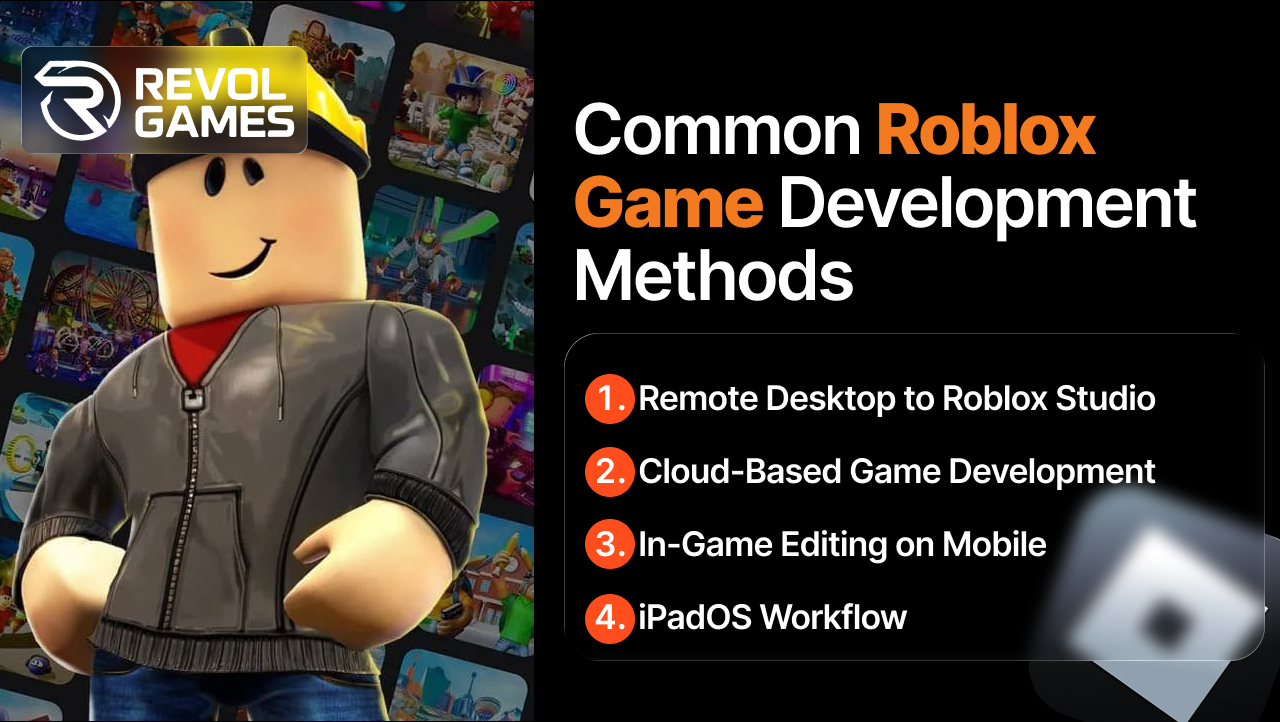
Since there is no native Roblox Studio mobile app, you must use specific workarounds to build a game from a mobile device. The following are the 4 distinct methods for Roblox game development on mobile:
Method 1: Remote Desktop to Roblox Studio (Most Reliable)
This is the gold standard for a full Roblox mobile game creation workflow. Install a client app like TeamViewer or Splashtop on your phone and link it to your computer. This gives you full access to the desktop version of Roblox Studio.
Method 2: Cloud-Based Game Development
You can also develop Roblox games using cloud services. Write your Lua code using a mobile-friendly text editor, then save it to a shared drive. Later, you pull the script from the cloud drive into Roblox Studio using the remote access. This cloud-based Roblox development strategy supports version control and collaboration.
Method 3: In-Game Editing on Mobile
The Roblox mobile app includes limited in-game Roblox mobile editing tools. You can make basic object placement adjustments and minor environment tweaks. This is useful for quickly fixing small issues or testing terrain changes.
Method 4: iPadOS Workflow
The larger screen and multitasking features of the iPad make the Roblox iPad development process much smoother. You can run the remote desktop app and a Lua editor side-by-side to enhance Roblox mobile productivity. The workflow strongly resembles a lightweight laptop experience.
Note: Most creators use a hybrid approach that combines these options. You avoid the need for Roblox game development without PCs by using a remote connection to your existing machine.
Roblox Game Development on iOS Mobile
The steps for Roblox game development on iOS mobile focus on leveraging Apple’s ecosystem for remote access. Below, we outline the process for iPhone and iPad devices.
Step 1: Install Required Apps
Install the Roblox mobile app on your iPhone or iPad for testing. Next, install a highly-rated remote desktop client like TeamViewer or AnyDesk. You must also install a dedicated mobile Lua editor iOS app. The Roblox community on Reddit or iOS game developers recommend finding an editor who easily connects to your cloud storage.
Step 2: Connect to Roblox Studio from iPhone/iPad
Ensure your Mac or PC has Roblox Studio running and the remote server app active. Open the remote desktop client on your iPhone or iPad. Log in and establish the iOS Roblox Studio connection. Use the virtual mouse or stylus for input on your full desktop screen.
Step 3: Build Maps and UI
Use the remote desktop view to access the Studio editor. Focus on rough map building and mobile-friendly Roblox game UI creation. Keep your initial designs simple. The goal here is placement and scale, not fine detail.
Step 4: Script Using Mobile Editors
Minimize frustrating typing inside the remote desktop window. Write your new Lua scripts directly in your mobile Lua scripting app. Save the code to a cloud folder. Then switch back to the remote desktop to copy and paste the finished script into Roblox Studio. This vastly improves Roblox mobile coding efficiency.
Step 5: Test & Publish
Use the Studio Device Emulator to check screen layouts. Perform actual Roblox mobile testing using the Roblox Player app. If the game works well, use the remote connection to open the File menu in Studio and publish Roblox. Your game is now live. You can also use iOS emulators to run and test your game in different environments.
How to Make a Game in Roblox on Android Mobile
The process for Roblox game development on mobile Android shares the same remote desktop principle but uses different client apps. We outline the full method to make a game in Roblox on mobile.
Step 1: Set up & Safe App Sources
Install the necessary client apps from the official Google Play Store. This includes the Roblox Player app and your chosen remote desktop client.
Step 2: Remote Access to Roblox Studio from Android
Just like on iOS, you must have Roblox Studio running on your Windows PC. Launch the remote client app on your Android device. Connect to the PC to gain Roblox Studio remote Android access.
Step 3: Android-Specific Productivity Tools
Android game development has excellent mobile Lua editor options. Find a code editor that supports syntax highlighting for Luau and easy cloud saving. Use your phone or tablet to draft complex game logic before integrating it via the remote desktop. This is the smart way to Roblox game dev without PC limitations.
Step 4: Testing
Android offers a wider range of screen sizes and performance levels. It is vital to perform thorough Roblox Android testing. Use the Roblox Player app on your phone to check for lag and responsive UI.
Step 5: Publishing Through Remote Studio Access
The final step of Roblox mobile publishing involves using the remote desktop to access Studio’s backend functions. Click File and then Publish to deploy your creation. All administrative tasks happen through the remotely accessed Studio.
Essential Tools for Roblox Game Development on Mobile
Success in Roblox game development on mobile depends entirely on your chosen tool stack. You must combine specialized mobile tools with reliable cloud services for a seamless workflow.
Remote Desktop Tools
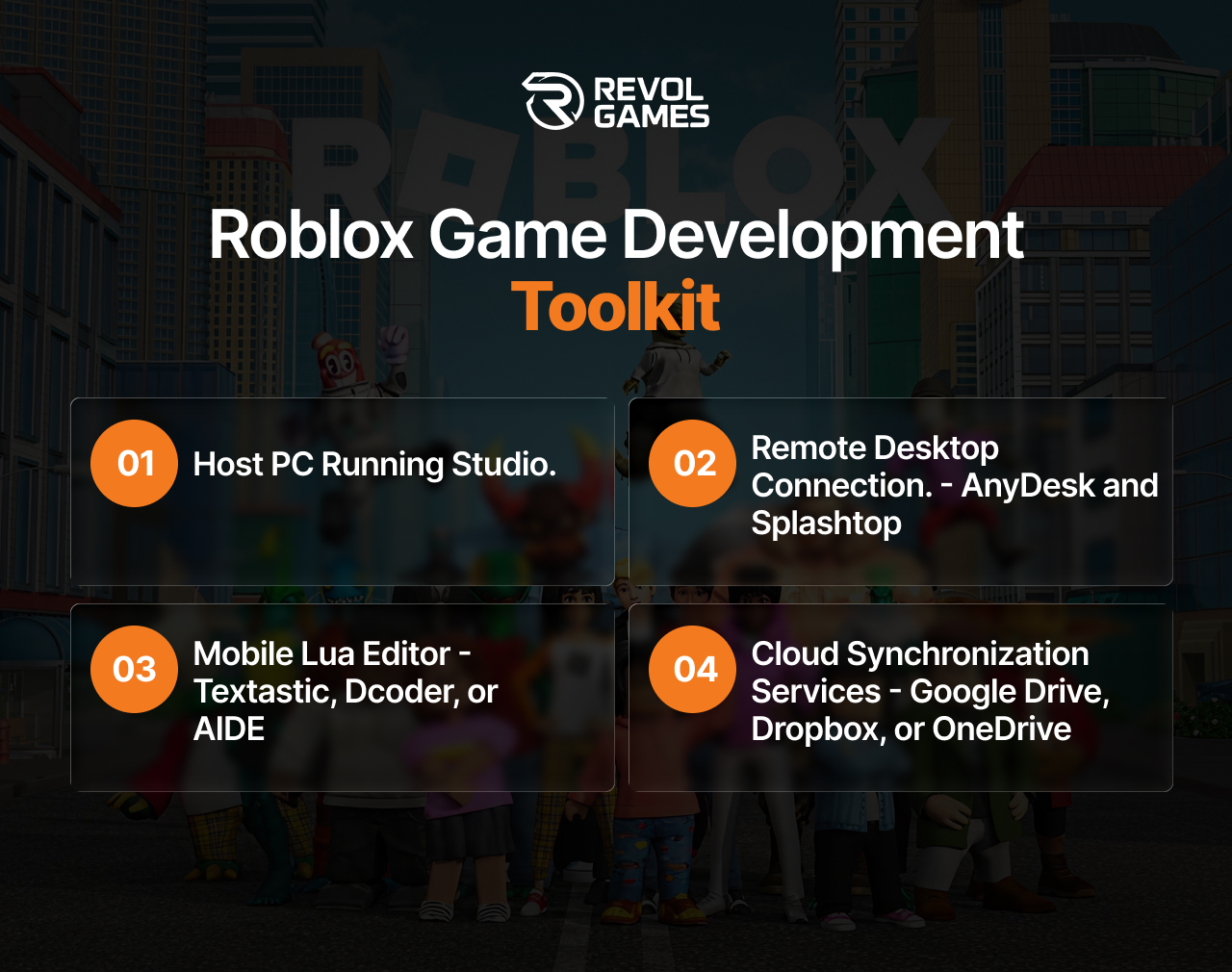
The best apps offer high-speed video encoding and low latency. AnyDesk and Splashtop generally provide the best performance for fluid screen interaction. TeamViewer is excellent for easy initial setup and general file transfer.
Cloud Tools
You need a dependable service for cloud-based Roblox development. Services like Google Drive, Dropbox, or OneDrive are essential for file synchronization. This keeps your scripts and models current between your phone and your PC.
Mobile Lua Coding Tools
Never write large scripts via remote desktop. Use a dedicated mobile code editor. Juno or Textastic are popular on iOS. Code editors like Dcoder or AIDE work well on Android. They provide proper syntax highlighting for Luau.
UI/UX Mobile Design Tools
You can draft mobile UI wireframes using apps like Canva or Figma on your tablet. Planning the large buttons and thumb-friendly controls ahead of time saves hours in Roblox Studio. For further help on this topic, review our guide to mobile game design.
How to Monetize Your Roblox Game from Mobile?
Monetization is the final step in your Roblox game development on mobile journey. You can monetize your game from mobile by using the remote desktop connection to access the full features of Roblox Studio.
Set Up Game Passes and Developer Products
Use the remote interface to create Roblox Developer Products and Game Passes mobile. Game Passes are one-time purchases giving players permanent benefits like special access or items. You set the price and assign them to specific in-game features to generate direct revenue.
Understand the Developer Exchange (DevEx)
Use the Developer Exchange program to convert Robux earnings into real-world currency. According to the Roblox annual economic impact report, Roblox paid out over $700 million to its developer community last year. To participate, you must meet specific requirements like earning a minimum amount of Robux and having a verified account.
Manage Advertising and Discovery
Use the remote Roblox Studio access to manage advertising campaigns. If you need some inspiration, look at community trends like 007n7 Roblox to see how major developers generate buzz.
Limitations of Roblox Game Development on Mobile
While the workarounds work well, they do not eliminate all obstacles. Roblox game development on mobile presents certain constraints. Honesty about these limits improves your workflow.
- No Native Studio App: The biggest limit is the lack of a native Roblox Studio app. You must rely on a secondary computer to run the core program, which requires a stable internet connection at all times.
- Latency and Control Constraints: Remote desktop introduces input lag or latency constraints. Making complex movements or precise pixel adjustments can be very difficult.
- Performance Issues: Older phones or budget tablets struggle to display the remote desktop stream smoothly. The video stream itself uses processing power, so always test final game performance on different device tiers.
- Publishing Backend Access: You cannot access deep analytics or advanced moderation tools from the mobile app. These administrative functions require the full Studio desktop interface.
Final Thoughts
Roblox game development on mobile is not a myth. You achieve success by combining remote access to Studio with cloud-based mobile Lua editors. However, this setup comes with unavoidable limitations like latency and poor control precision, which make large-scale projects incredibly difficult.
If you need a polished commercial product quickly, consider a professional Roblox game development company. We at RevolGames turn ambitious concepts into high-performing experiences. Our team of experts in scripting asset optimization and monetization overcomes all the constraints of the mobile environment.
Ready to Scale Your Next Big Roblox Game Development Idea?
Frequently Asked Questions
Yes, it is possible, but it is an indirect process. You must control the desktop application Roblox Studio via a remote access app on your phone or tablet.
Yes, Roblox game development on mobile is free if you own a computer. The Roblox Studio software itself is free to download and use. Many remote desktop apps offer a free tier sufficient for individual use.
The core development process is free. You download Roblox Studio and publish your game without paying any fees. Costs only appear if you hire a Roblox game development company or purchase pre-made assets.
You create the game logic and scripting on a Windows PC or macOS computer running Roblox Studio. You use an iPhone, iPad, or Android device to control that computer remotely.
No, there is no official Roblox Studio mobile APK as it is a desktop program only. Never download an unofficial Roblox APK claiming to be the editor. These files pose a high security risk. Always use the authorized remote desktop methods to ensure a secure Roblox mobile workflow.
Related Posts
Top Game Development Companies in the UK
- Posted by admin on May 6, 2026
- Category : Game Development
UK gaming is booming currently. Enter any studio in London, Manchester, or Brighton, and you will find big teams developing…
How to Launch and Market Your Mobile Game After Development
- Posted by admin on May 6, 2026
- Category : Game Development
Every year, more than 500,000 new mobile games hit the App Store and Google Play combined. Of those, fewer than…
How Much Does Unity Game Development Cost
- Posted by admin on March 25, 2026
- Category : Game Development
The best part about making a Unity game is that, for indie developers, small and large gaming companies, they need…